Inverter Error Codes: What They Mean and How to Fix Them
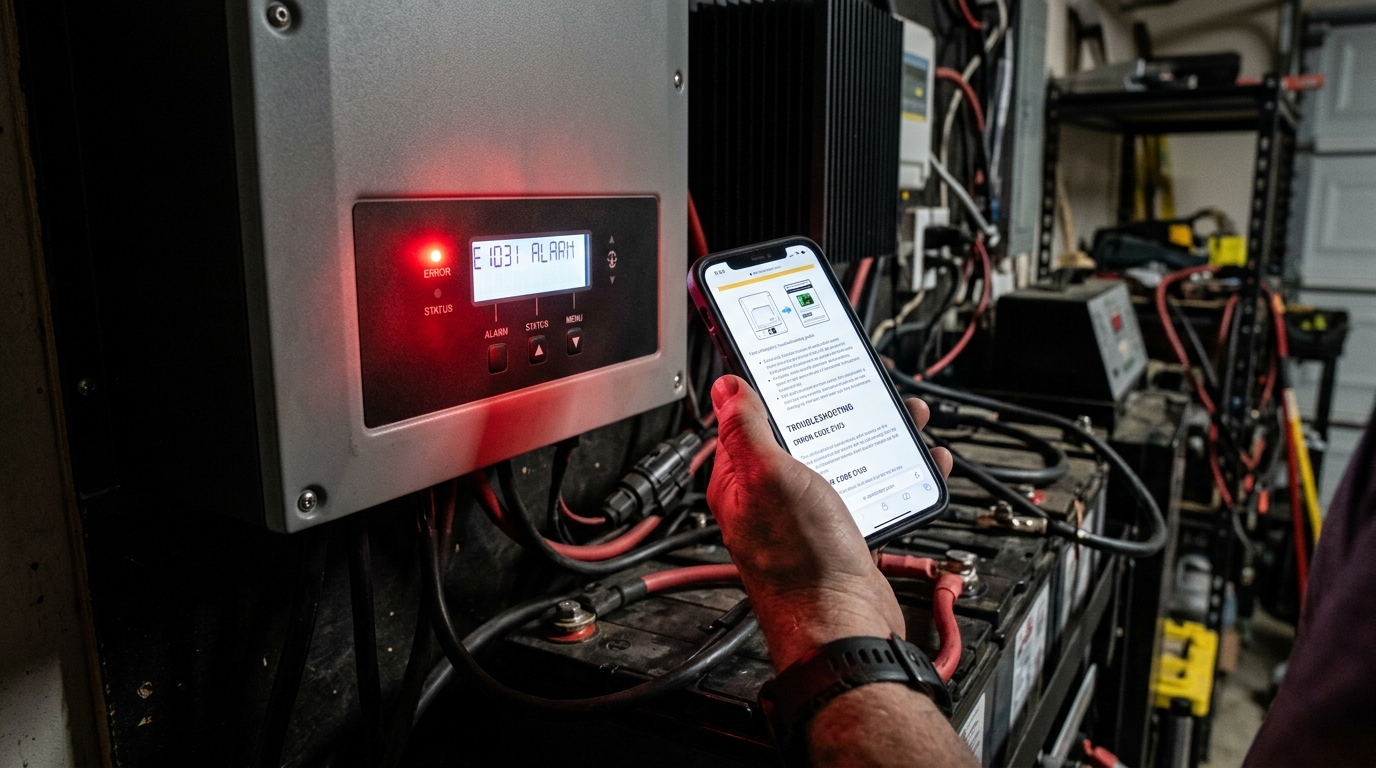
Key takeaway: Most inverter error codes point to five root causes: overload, over-temperature, battery voltage out of range, ground fault, or grid fault. About 80% of the errors I’ve dealt with on my own systems and helped others troubleshoot came down to a loose connection, an overloaded circuit, or incorrect settings — not a dead inverter. Before you panic, read the code, check the basics, and follow the steps below.
Why Inverter Error Codes Exist
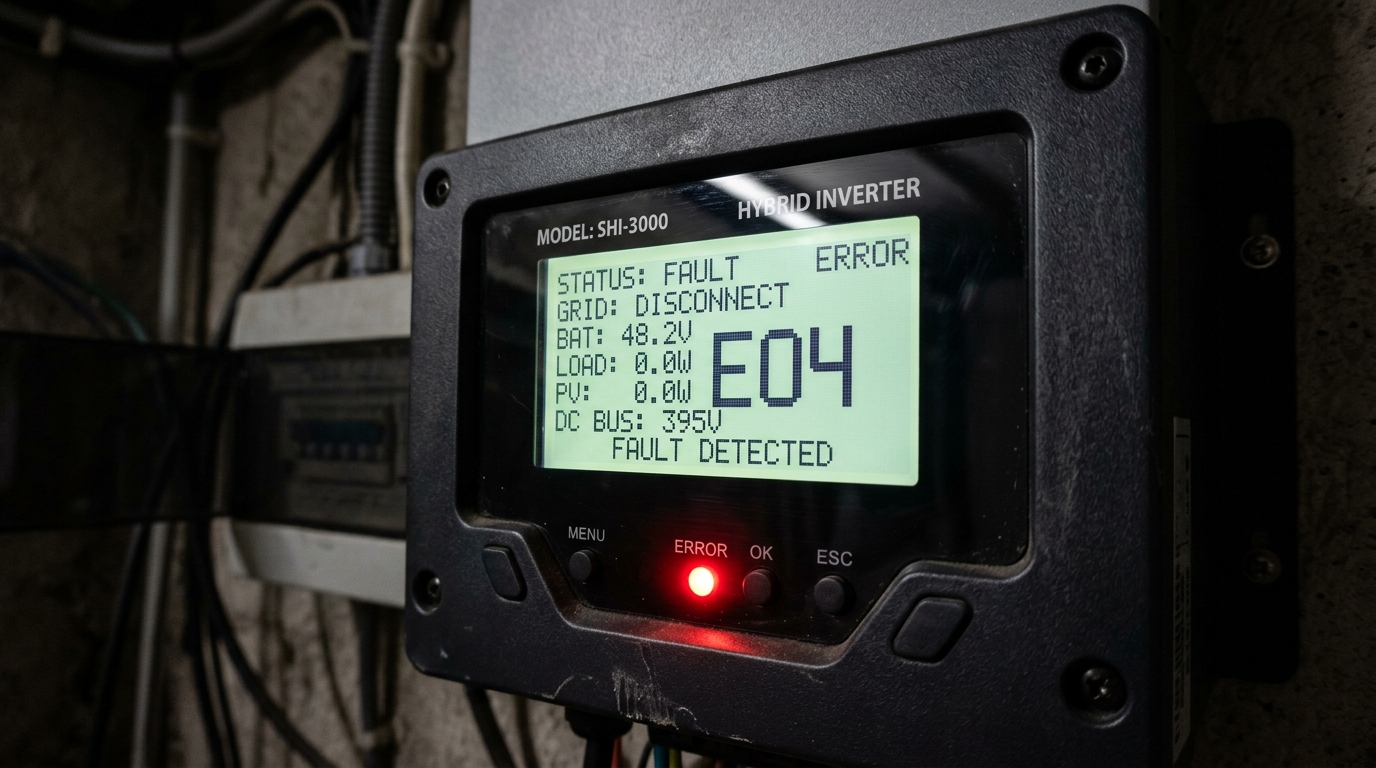
Every modern solar inverter has a built-in protection system. When voltage, current, temperature, or frequency drifts outside the safe operating window, the inverter shuts down and throws an error code rather than destroying itself or starting a fire. That’s a good thing, even when it’s annoying at 2 AM.
The problem: error codes vary by manufacturer, manuals are often poorly translated or vague, and the same underlying issue can show up as different codes on different machines.
This guide covers the most common error codes you’ll hit on three popular DIY inverters: the EG4 6000XP, the Growatt SPF 5000ES/6000ES, and the Victron MultiPlus/MultiPlus-II. I’ve organized them by error type rather than by brand, so you can jump to the section that matches your symptom.
If you’re still setting up your system, the getting started guide covers the fundamentals of inverter selection and installation.
Overload Errors
Overload errors trigger when you draw more power from the inverter than it can deliver continuously, or when a surge exceeds its peak rating.
EG4 6000XP: Error 02 — Inverter Overload
The EG4 6000XP is rated for 6,000W continuous and 12,000W surge for 5 seconds. Error 02 means the load exceeded one of those thresholds.
Likely causes:
- A large motor starting up (well pump, AC compressor, table saw). Motor inrush current can hit 3-6x the running wattage for a fraction of a second.
- Too many loads running simultaneously. You might be fine running the microwave OR the toaster, but not both at the same time.
- A short circuit or failing appliance drawing excessive current on one of your circuits.
Step-by-step fix:
- Turn off or unplug the load that triggered the error. If you’re not sure which one, turn off all breakers on the inverter’s output panel.
- Clear the error on the display (press ESC or the reset button, depending on firmware version).
- Turn loads back on one at a time. The one that re-triggers the error is your culprit.
- For motor loads, consider a soft-start device. I added a $35 soft starter to my well pump and the inrush dropped from ~4,500W to under 1,500W. That alone eliminated the overload errors I was getting every time the pump kicked on.
- Check the inverter’s settings — make sure the overload threshold isn’t set unusually low. On the EG4 6000XP, you can adjust the overload warning percentage in the settings menu.
For a deeper look at the EG4 6000XP’s capabilities and limits, see my full review after 18 months of use.
Growatt SPF Series: Error Code 03 — Output Overload
Same concept. The Growatt SPF 5000ES handles 5,000W continuous; the 6000ES handles 6,000W. Error 03 means you’ve exceeded that.
Fix: Same process as above — identify the load, reduce it, and consider soft starters for motors. The Growatt’s LCD will show output wattage in real time, which helps you identify how close you’re running to the limit before the error hits.
Victron MultiPlus: Overload Warning / Shutdown
Victron handles this differently. The MultiPlus will show “Overload” in VictronConnect or on the GX display, and the inverter LED blinks rapidly. It gives you a 60-second warning at moderate overload before shutting down, and shuts down immediately for severe overload.
Fix: Same approach. Victron’s monitoring through VictronConnect gives you good historical data on load spikes, so you can see exactly when and how badly you exceeded the rating.
Preventive measure for all brands: Know your inverter’s continuous and surge ratings. Add up the wattage of everything you plan to run simultaneously. Keep a 20% margin below the continuous rating for comfortable daily operation. Use our Solar System Sizer to match inverter capacity to your actual loads during the planning stage.
Over-Temperature Errors
Inverters generate heat. When internal temperatures exceed safe limits, they throttle output or shut down entirely.
EG4 6000XP: Error 04 — Over Temperature
The EG4 has internal fans that ramp up as temperature rises. Error 04 means the heatsink temperature exceeded the shutdown threshold (typically around 75°C internally).
Likely causes:
- Poor ventilation. The inverter is in a sealed closet, a tight cabinet, or mounted against a wall with no airflow behind it.
- Ambient temperature too high. If the room where the inverter lives hits 40°C (104°F), the inverter is starting from a disadvantage.
- Sustained high load. Running at 80-100% capacity for hours generates significant heat.
- Dust buildup on the heatsink or fan filters. I’ve seen inverters overheat simply because the intake vents were clogged with dust and pet hair after a year of operation.
- Failed fan. If one of the internal fans dies, cooling capacity drops dramatically.
Step-by-step fix:
- Reduce the load immediately. Turn off non-essential circuits to bring the inverter below 50% capacity while it cools.
- Check airflow. The EG4 6000XP needs at least 8 inches of clearance on all sides, and 12 inches is better. The air intake is on the bottom; exhaust is on top. Don’t mount it upside down (I’ve seen this done).
- Clean the vents. Use compressed air to blow out dust every 6 months.
- Listen for fan noise. If the fans aren’t spinning under load, you may have a failed fan motor. On the EG4, the fans are standard 80mm or 92mm computer fans and can be replaced for under $15.
- If the room is consistently hot, add a ventilation fan to the space. I installed a $25 duct fan in my inverter closet that exhausts hot air to the outside, and my inverter temperature dropped 12°C.
Growatt SPF Series: Error Code 08 — Over Temperature
Same root cause. The Growatt runs warmer than the EG4 in my experience — it’s a denser unit with less heatsink area. Follow the same ventilation and cleaning steps.
Victron MultiPlus: Temperature Warning
Victron shows a temperature alarm in VictronConnect and will throttle output before shutting down completely. The MultiPlus is generally better at thermal management than budget inverters, but it’s not immune — especially the higher-power models in enclosed spaces.
Preventive measure: Install a simple temperature sensor in your inverter space. I use a $12 Wi-Fi temperature monitor that alerts my phone if the room exceeds 35°C. That’s far cheaper than dealing with emergency shutdowns.
Battery Voltage Errors (High and Low)
These are some of the most common errors, and often the most confusing because the battery voltage can be within the “correct” range yet still trigger an error.
Low Battery Voltage
EG4 6000XP: Error 07 — Battery Under-Voltage
Error 07 on my EG4 turned out to be nothing more than a loose battery terminal. The battery was at 52V, well within range, but a slightly loose bolt on the positive terminal created enough resistance that under load, the voltage at the inverter’s input terminals sagged below the low-voltage cutoff (44V default on the EG4).
Likely causes:
- Battery actually depleted. If SOC is below 10%, the battery voltage may sag under load.
- Loose or corroded battery terminals. This is the number one hidden cause. The connection looks fine visually, but under 100A of draw, even a slightly loose terminal creates a voltage drop.
- Undersized battery cables. If the wire between your battery and inverter is too thin or too long, voltage drop under load will trigger the error even though the battery itself is fine. Refer to the wire gauge chart to confirm your cables are sized correctly.
- BMS cutoff. Your battery’s BMS disconnected due to an over-discharge, low temperature, or cell imbalance condition. The inverter sees zero volts or a rapidly falling voltage and throws the error.
- Battery bank imbalance. If you have multiple batteries in series, one weak battery can drag the total voltage below the threshold. This is more common with older lead-acid setups but can happen with LiFePO4 if one battery’s BMS is malfunctioning.
Step-by-step fix:
- Check battery voltage with a multimeter directly at the battery terminals (not at the inverter). Compare to what the inverter displays. If there’s more than a 1V difference on a 48V system, you have a cable or connection issue.
- Tighten all battery terminals. Use a torque wrench if your terminals have a spec — for most M8 battery bolts, 8-10 Nm is appropriate.
- Check for corrosion on terminals. Clean with a wire brush and apply dielectric grease.
- Verify cable gauge. For a 48V system drawing 100A, you need at least 2 AWG copper for runs under 5 feet. For longer runs, size up. Use the Wire Gauge Calculator to check.
- Check BMS status. Most LiFePO4 batteries with Bluetooth will show you if the BMS has disconnected and why. If it’s a temperature lockout, you need to warm the batteries before they’ll accept charge or discharge.
- If the battery voltage is genuinely low, the fix is to charge it — but investigate why it got that low. Is your solar array undersized for your loads? Are you running loads overnight that drain the bank more than expected?
For more on battery bank design and BMS behavior, see the DIY LiFePO4 battery bank guide. If the battery also refuses to charge back up after clearing the error, work through our battery not charging from solar guide next.
High Battery Voltage
EG4 6000XP: Error 05 — Battery Over-Voltage
This means the battery voltage exceeded the high cutoff (default 58V on the EG4 for a 48V LiFePO4 bank).
Likely causes:
- Charge voltage settings too high. If you’ve set absorb voltage to 58V but your BMS limits to 57.6V, you’re right at the edge.
- Multiple charge sources. If your inverter charges the batteries AND a separate solar charge controller also charges them, they can conflict. Both try to push voltage up, and the battery voltage overshoots because neither knows the other is charging.
- BMS cell balancing. During top balancing, one cell may hit its limit (3.65V per cell for LiFePO4) before others, causing the BMS to disconnect charging. If the charge source doesn’t respond fast enough, a brief voltage spike can trigger the over-voltage error.
Step-by-step fix:
- Check your charge voltage settings against your battery manufacturer’s recommended values. For most 48V LiFePO4 batteries: absorb voltage 56.0-57.6V, float voltage 53.6-54.4V.
- If you’re running dual charge sources, ensure one is set as the primary and the other has a slightly lower voltage target, or use a managed charging protocol (CAN bus communication between battery and inverter eliminates this issue).
- Clear the error and monitor. If it only happens once during a full charge cycle, it’s likely a brief spike during BMS cell balancing and is generally harmless. If it happens repeatedly, your voltage settings are too aggressive.
Growatt SPF Series: Error Code 04 — Battery Voltage Too High
Same diagnosis. The Growatt defaults tend to be more conservative, so this error is less common unless settings have been manually adjusted.
Victron MultiPlus: High DC Alarm
Victron handles this through its alarm system. You’ll see it in VictronConnect. The fix is the same — verify charge voltage settings match your battery specs.
Ground Fault Errors
Ground faults are potentially dangerous and should be taken seriously.
EG4 6000XP: Error 13 — Ground Fault
A ground fault means current is flowing through a path it shouldn’t — typically from a live conductor to the equipment ground or earth ground.
Likely causes:
- Moisture intrusion. Water in a junction box, a wet MC4 connector, or condensation inside conduit can create a leakage path to ground.
- Damaged wire insulation. A wire rubbing against a sharp edge in a conduit or junction box can wear through insulation over time.
- Incorrect neutral-ground bonding. In off-grid systems, the inverter typically provides the neutral-ground bond. If you’ve also bonded neutral to ground in your subpanel, you’ve created a parallel ground path that some inverters detect as a fault.
- Faulty appliance. A failing appliance with an internal short to its ground prong will appear as a ground fault to the inverter.
Step-by-step fix:
- Safety first. A ground fault means electricity is going somewhere unintended. Do not ignore this error. Turn off the inverter and disconnect loads before investigating.
- Disconnect all loads and clear the error. If the error doesn’t return with no loads connected, the fault is on the load side.
- Reconnect loads one circuit at a time. The circuit that triggers the error contains the fault.
- Inspect all wiring for damage, moisture, or loose connections on the faulty circuit.
- Check neutral-ground bonding. For off-grid systems with the EG4 6000XP, the inverter bonds neutral to ground internally. Your subpanel should have a floating neutral (no neutral-ground bond bar). This trips up a lot of DIY builders because residential code for grid-tied panels requires the opposite configuration.
- Use a megger (insulation resistance tester) on suspect wiring to identify insulation breakdown. This is the definitive test for ground faults in wiring.
- Check MC4 connections on your solar array. Pull them apart, inspect for moisture or corrosion, dry them, and reconnect firmly.
Growatt SPF Series: Ground Fault
The Growatt handles ground faults similarly. Some Growatt models have a more sensitive ground fault detection circuit that can trigger false positives — particularly in humid environments. If you’ve eliminated all real faults and it still triggers, check the Growatt forums for firmware-specific guidance.
Victron MultiPlus: Ground Relay Fault
Victron uses a ground relay that connects neutral to PE (protective earth) when the inverter is in standalone mode and disconnects it when grid is present. A fault here usually indicates a wiring error in the AC panel configuration.
Grid Fault Errors (Hybrid and Grid-Tie Systems)
These only apply if your inverter is connected to the utility grid.
EG4 6000XP: Error 09 — Grid Voltage/Frequency Fault
The inverter monitors grid voltage and frequency. If either drifts outside the programmed acceptable range, the inverter disconnects from the grid (anti-islanding protection — this is a safety requirement).
Likely causes:
- Actual grid instability. Brownouts, voltage sags, or frequency deviations from your utility.
- Incorrect grid voltage settings. If you’re on a 240V service but the inverter’s grid voltage window is set for 120V, it’ll fault constantly.
- Long or undersized wire runs between the grid connection and the inverter. Voltage drop on the AC input side can make the inverter think grid voltage is low.
- Generator input. If you’re feeding the inverter from a generator, cheap generators have poor voltage and frequency regulation that triggers grid fault errors constantly.
Step-by-step fix:
- Measure grid voltage at the inverter’s AC input terminals with a multimeter. Compare it to the inverter’s acceptable range (typically 200-260V for 240V systems).
- If the voltage is within range but the inverter is still faulting, check the frequency setting. US grid is 60Hz; most inverters accept 59.3-60.5Hz by default.
- For generator connections, widen the acceptable voltage and frequency windows in the inverter settings. Most inverters have separate “grid” and “generator” input modes — the generator mode has wider tolerance. On the EG4, this is configured in the settings menu under “AC input source.”
- If you’re seeing grid faults during utility power, report them to your utility. Voltage outside the normal range may indicate a problem on their end (overloaded transformer, loose neutral on the utility side).
When to Reset vs. When Something Is Actually Broken
Most error codes clear themselves once you address the root cause. Here’s how to tell if you have a real hardware problem:
Probably fine — just reset and monitor:
- Error triggered once during an unusual event (huge motor start, very hot day, brief grid blip).
- Error cleared after you fixed an obvious cause (tightened terminal, reduced load, improved ventilation).
- Error only happens seasonally (over-temp in summer, low battery in winter).
Probably a hardware issue — investigate further:
- Same error repeats multiple times per day with no obvious trigger.
- Error code is new — the system ran fine for months and now this error appears regularly.
- Multiple different error codes appearing in the same time period.
- Burning smell, physical damage, bulging components, or discolored terminals. Stop using the inverter immediately.
- Fan not spinning when the unit is warm. Replace the fan before it causes overheating damage.
Definitely call the manufacturer:
- Any error code not listed in the manual.
- Error persists after every troubleshooting step above.
- The unit makes unusual sounds (buzzing, clicking, arcing).
- You see error codes related to internal component failure (these vary by brand — EG4 codes in the 20-30 range often indicate internal hardware faults).
Preventive Measures to Avoid Common Errors
After two years of running my system, here’s what actually prevents errors:
-
Torque your battery terminals properly and re-check every 6 months. Thermal cycling loosens connections over time. This single maintenance task would prevent about 30% of the error codes I see people post about.
-
Keep your inverter cool. Ensure proper ventilation, clean dust from vents twice a year, and verify fans are operational. A $25 room fan or duct fan is cheap insurance.
-
Size your wiring correctly from the start. Undersized wires cause voltage drop that triggers both low-voltage and overload errors. The wire gauge chart takes the guesswork out of cable selection.
-
Match charge settings to your battery specs. Don’t guess at voltage parameters. Use the exact values from your battery manufacturer’s datasheet. If your inverter supports CAN bus communication with your battery, use it — it eliminates voltage-related errors almost entirely.
-
Don’t run at max capacity daily. If you regularly pull 5,500W from a 6,000W inverter, you’re asking for overload and over-temp errors. Size your inverter 25-30% above your expected peak load.
-
Log your errors. Both the EG4 and Victron maintain error logs. Check them monthly. A slowly increasing frequency of a specific error often points to a developing problem you can fix before it becomes an emergency.
-
Keep firmware updated. Manufacturers regularly release firmware that fixes false-positive error codes and improves protection thresholds. The EG4 6000XP has had at least three firmware updates since I bought mine that specifically addressed error code behavior.
-
Invest in monitoring. Whether it’s the EG4’s built-in Wi-Fi, Victron’s VRM portal, or a third-party energy monitor, being able to see real-time data remotely means you catch issues before they escalate. I’ve caught two developing problems on my system through monitoring that would have been full shutdowns if I’d waited until I noticed something wrong in person.
Quick Reference: Error Code Lookup Table
| Error Type | EG4 6000XP | Growatt SPF | Victron MultiPlus |
|---|---|---|---|
| Overload | Error 02 | Error 03 | ”Overload” alarm |
| Over-temperature | Error 04 | Error 08 | Temperature alarm |
| Battery over-voltage | Error 05 | Error 04 | High DC alarm |
| Battery under-voltage | Error 07 | Error 02 | Low DC alarm |
| Ground fault | Error 13 | Ground Fault | Ground relay fault |
| Grid fault | Error 09 | Error 05 | Grid lost alarm |
| PV over-voltage | Error 10 | Error 07 | N/A (separate MPPT) |
| Short circuit | Error 01 | Error 01 | Short circuit alarm |
For a complete system setup and component selection guide, start with the DIY solar getting started guide. If you’re picking batteries for your system, the best LiFePO4 batteries comparison covers the top options for 2026.
Frequently Asked Questions
What does EG4 6000XP Error 02 mean?
Error 02 on the EG4 6000XP means inverter overload — the load exceeded 6,000W continuous or 12,000W surge. The most common cause is a large motor starting up (well pump, AC compressor). Adding a soft-start device to the motor usually eliminates these errors.
Why does my inverter keep shutting down from overheating?
Over-temperature shutdowns are caused by poor ventilation, high ambient temperatures, sustained high loads, or dust-clogged vents. Ensure at least 8-12 inches of clearance on all sides, clean vents every 6 months, and add a duct fan if the inverter space consistently exceeds 35 degrees C.
What causes a battery under-voltage error on a solar inverter?
The most common hidden cause is a loose battery terminal. Under heavy load (100A+), even a slightly loose connection creates enough voltage drop to trigger the error. The fix is usually just torquing your battery terminals properly. Check with a multimeter at the battery vs at the inverter terminals.
What is a ground fault on a solar inverter?
A ground fault means current is flowing through an unintended path — typically from a live conductor to the equipment ground. Common causes include moisture in a junction box, damaged wire insulation, incorrect neutral-ground bonding, or a faulty appliance. This is a safety issue that should not be ignored.
How do I tell if my inverter error is a real problem or just needs a reset?
A one-time error during an unusual event (motor startup, hot day, grid blip) is usually just a reset. Repeated errors multiple times per day, new errors after months of clean operation, or multiple different codes in the same period suggest a developing hardware issue. A burning smell or discolored terminals means stop using the inverter immediately.
Anthony
Solar homeowner, EV driver, and DIY builder. Using solar to power a large part of my home.
Get build guides in your inbox
Weekly solar builds, product tests, and technical deep-dives.
Subscribe Free